Fongo Works Logo

Custom Ring Count

Included with Pro Upgrade

Ring counts for each extension can be customized to suit your team’s needs or call scenarios. Ring count settings are modified in the Fongo Works online dashboard.
Ring Count Types

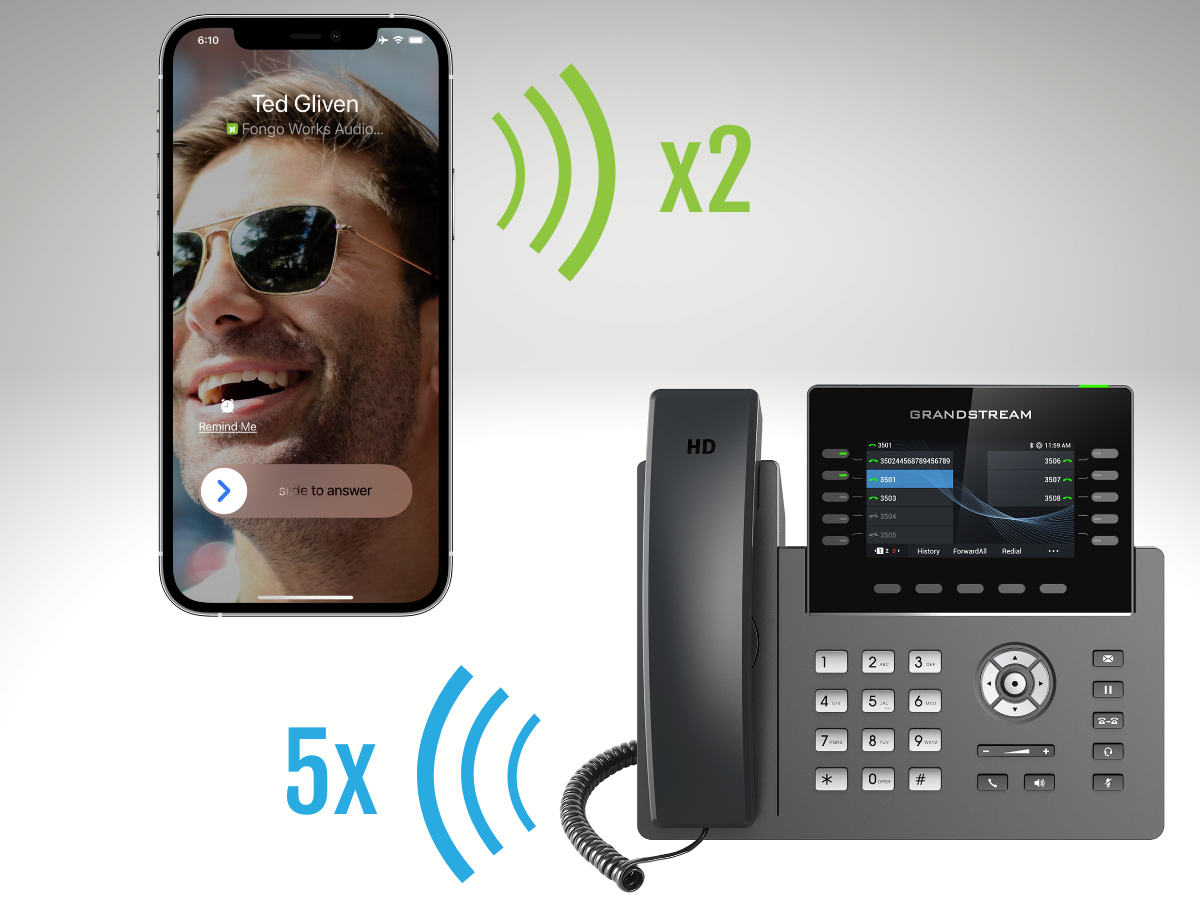
Each member has 2 different ring counts

Fongo Works App / Pro Device

The Fongo Works App and Pro Device for this extension will ring for this long before following your call handling settings.

Default: 5 Rings

Forwarding to Cellphone

The cellphone for this member will ring for this long before following the next step in your call handling settings. This ring count is only used if the member’s call handling settings are set to one of the following:

  • “Forward to cellphone”
  • “Forward to cellphone, then voicemail”

Default: 2 Rings

Editing your extension’s Ring Count settings

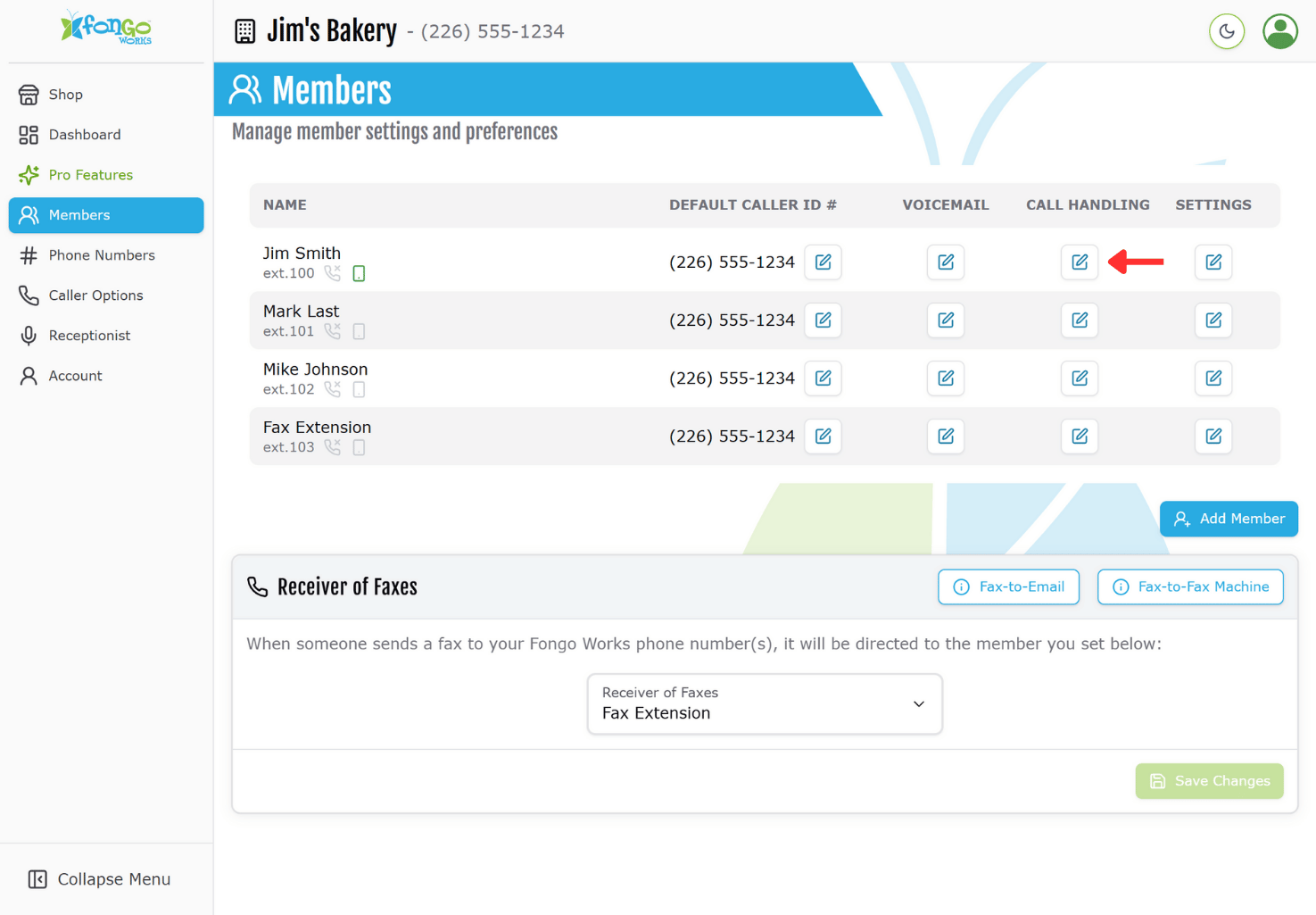
  1. In the online dashboard, enter the Members tab
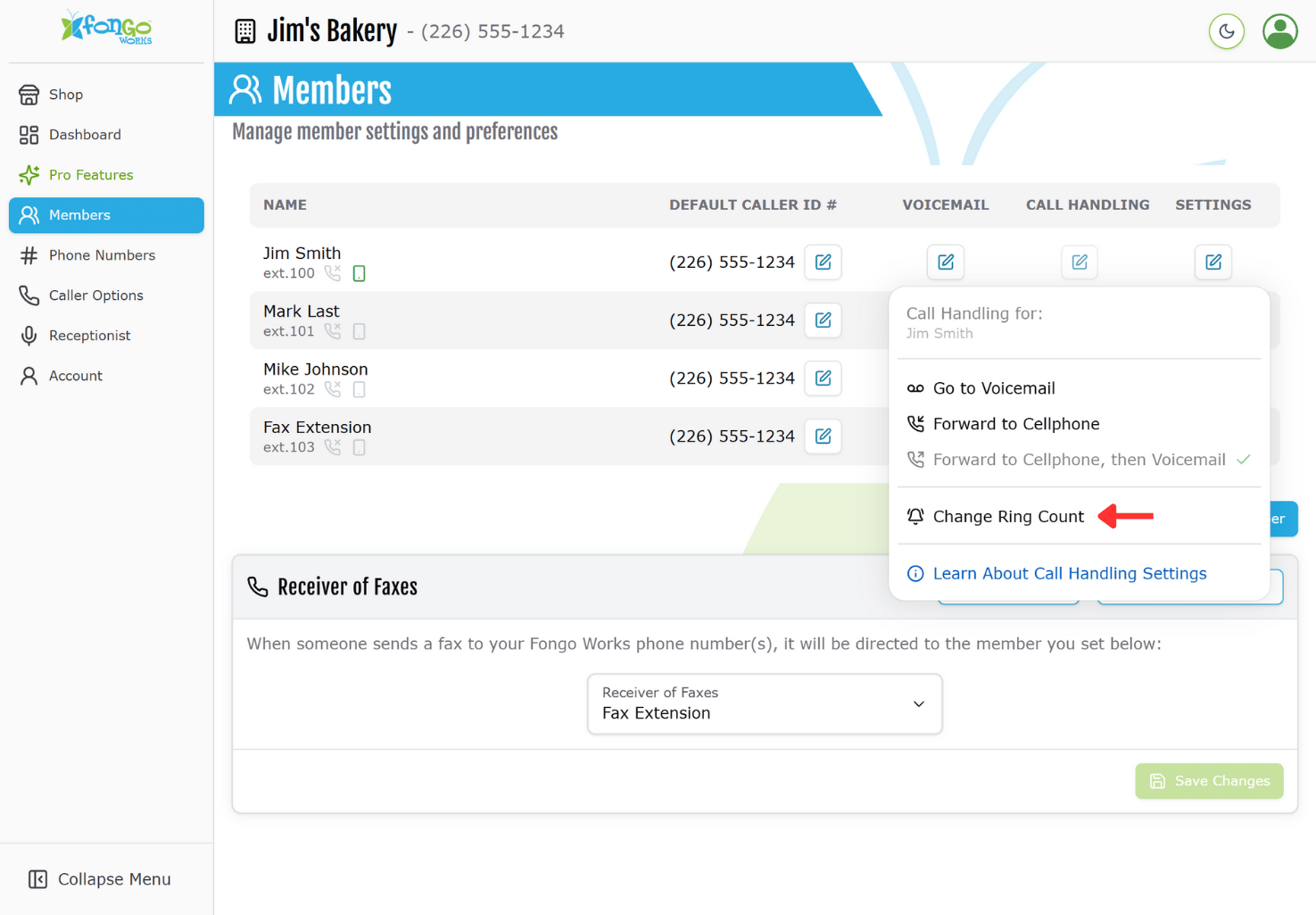
  2. Click on the pencil icon under Call Handling for the desired member
  3. Click Change Ring Count
  4. Set the desired ring counts and click Save

Note: 1 ring = 6 seconds, 2 rings = 12 seconds
click to expand

How To

Go Pro

LOGIN

Login to your Fongo Works dashboard at fongoworks.com

SHOP

Click the shop icon at the top of your dashboard.

CHECKOUT

Add items to your cart, then checkout when you’re ready to order.